Cut the Cord.
Drop the Subscriptions.
Enjoy Free Local TV.
Drop the Subscriptions.
Enjoy Free Local TV.

Digital TV doesn't fade in bad weather, it disappears. Here's what the cliff effect is, which weather actually hurts reception (rain is rarely the culprit), and how to build enough signal margin that storms stop taking your channels.
Disclosure: This article contains affiliate links. If you buy through them, TV Stations Near Me may earn a small commission — at no extra cost to you.
Anyone who watched television before 2009 remembers what a weak signal looked like. The picture went snowy, or a ghost of the image appeared a few inches to the right, and you watched anyway. It was worse, but it was still television.
Digital broadcasting does not work that way. A weak digital signal doesn't get grainy. It freezes, breaks into blocks, and then vanishes entirely, usually with no warning at all. One minute the picture is flawless, and a few minutes later the channel is simply gone. That behavior has a name, and understanding it explains almost everything about why weather seems to take your channels away.
An over-the-air digital signal carries its own error correction. The broadcast includes extra data whose only job is to repair damage that happens on the way to your antenna, and your tuner uses it to reconstruct a perfect picture even when reception is imperfect. This works remarkably well right up until it doesn't.
As long as the signal stays above the threshold your tuner needs, error correction fixes everything and the picture is flawless. Not almost flawless: identical to what left the transmitter. Drop just below that threshold and the correction runs out of headroom, the decoder starts failing, and the picture breaks apart. There is very little middle ground between the two. Engineers call it the cliff effect, and it's the single most important thing to understand about antenna TV.
The practical consequence: a channel that looks perfect on a clear evening tells you nothing about how much signal you actually have. You could be far above the threshold with room to spare, or sitting barely above it. Both look identical. You only find out which when something pushes you down, and weather is the most common something.
Here's where most advice gets it wrong. Rain is usually blamed, and rain is usually not the culprit.
Rain itself matters less than you'd think. Raindrops absorb radio signals in proportion to frequency, which is why satellite TV drops out in a downpour: those services broadcast in the gigahertz range where water does real damage. Broadcast television sits far lower, and at those frequencies rain passes through with very little effect. A heavy storm alone rarely takes out a signal that was solid to begin with.
Wet trees are a much bigger problem. Foliage absorbs UHF signals well when dry and considerably better when soaked, so a stand of trees between you and the transmitter gets meaningfully more opaque during a storm than it was an hour earlier. If your signal path clips a treeline, rain is hurting you indirectly, by making those trees a better wall.
Wind moves things. It sways an outdoor antenna off its aim, and it moves the branches in that path, which makes reception flutter in and out rather than fail cleanly. If your picture breaks up in gusts and recovers in the lulls, that's mechanical, not atmospheric.
Snow and ice accumulate. Wet snow attenuates more than rain, and ice building up on the antenna itself changes how it behaves electrically. This one is genuinely seasonal and genuinely physical.
Temperature inversions can give you more channels, not fewer. This is the one that surprises people. Weather usually takes reception away, but the right conditions hand you extra.
Normally a broadcast signal travels in roughly a straight line and disappears over the horizon, which is why your range is limited to stations within some distance of you. But when a layer of warm air settles on top of cooler air, the boundary between them can bend radio waves back toward the ground instead of letting them escape into space. The signal skips along inside that layer like light down a fiber optic cable, and it can travel hundreds of miles instead of dying at the horizon. Broadcast engineers call it tropospheric ducting, and it forms most readily along and ahead of an advancing cold front, which is exactly the sort of weather people blame for losing channels.
So if you run a channel scan during or just after a storm system moves through and suddenly find stations from a city two or three hours away, your antenna hasn't improved. The atmosphere temporarily built you a longer path. Rescan a day later and those stations will almost certainly be gone.
The same effect has a downside. Two stations far enough apart normally share a channel number without ever interfering, because neither can reach the other. Open a duct between them and a distant station can suddenly arrive strong enough to fight with your local one on the same frequency. That's why a channel you receive every day of the year can break up on a clear afternoon while everything else looks fine.
Put the cliff effect together with the weather and the pattern makes sense. Weather rarely destroys a strong signal. What it does is subtract a few decibels, and if you were already close to the edge, a few decibels is the whole story.
That's why two neighbors can get completely different results from the same storm. One has margin and never notices. The other was living right at the threshold, with a picture that looked perfect every single night, and had no way to know.
Since you can't see how close to the edge you are, the goal is to build in more headroom than you need on a clear day. In rough order of how much difference they make:
Get the antenna higher and outside. This is the one that matters most and the one people skip. An attic costs you signal through the roof, and an indoor antenna behind a television is fighting the walls, the wiring and everything else in the house. Height also lifts you over the treeline that causes the wet-foliage problem in the first place.
Aim it properly. A directional antenna pointed carefully at your transmitters will beat a stronger antenna pointed roughly. Our antenna guide covers choosing between directional and multidirectional models, which depends on whether your stations sit in one direction or several.
Fix the cable before adding equipment. Old or damaged coax, corroded connectors and water that has crept into a fitting all cost you signal, and they cost you more of it every year. Weatherproof outdoor connections properly and replace anything that looks tired.
Then consider an amplifier, in the right place. A preamp mounted at the antenna boosts the signal before it goes down the cable, which is where boosting helps. An amplifier at the television end mostly amplifies noise along with the signal, and it can make matters worse. Our guide to antenna boosters explains when one genuinely helps and when it doesn't.
Mount it so the wind can't move it. If gusts are shifting your aim, no amount of amplification fixes that.
All of this is easier when you know which stations you're trying to receive, how far away their transmitters are, and how much power they're pushing. A strong nearby station will ride out weather that flattens a low-power one at the edge of your range.
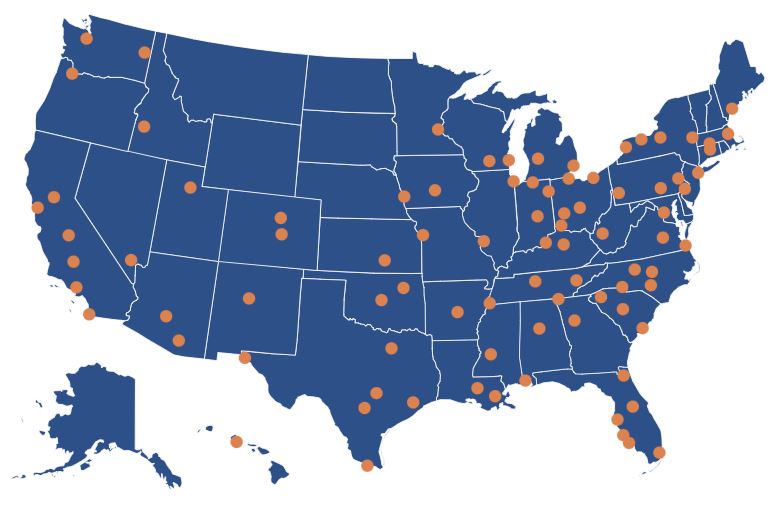
Search your city or zip code to see every station broadcasting in your area, its distance from you, and the signal strength to expect:
If some of your channels sit on VHF and others on UHF, that affects which antenna you need and how the weather treats each one. Our post on VHF and UHF in the age of digital TV covers the difference, and it's worth reading before you buy anything.
Directory Blog Privacy Policy Contact
This website contains affiliate links. We may receive commissions for purchases made through these links.