The same local channel can look sharper for free over an antenna than it does on a cable or satellite box. Here's the real reason: how much each provider compresses the picture to fit their pipe.
Here's a claim that surprises a lot of people the first time they hear it: the free HD picture coming through your antenna can genuinely look better than the exact same channel on a $150-a-month cable or satellite package. Same network, same local anchors, same broadcast — and the free version can be the sharper one. It sounds backwards, but it comes down to simple math about how much room each version actually gets.
Picture quality isn't about the signal — it's about the pipe
A 1080i or 720p broadcast is genuinely high resolution either way you receive it. What actually determines how good it looks — how clean the edges are, whether fast motion turns to mush, whether skin tones smear during a pan — is how much data was allowed to describe that picture before it got squeezed down to fit the pipe. That's compression, and it's where the free version and the paid version stop being equal.
Over the air, your channel doesn't have to share
A full-power broadcast station's signal occupies an entire 6 MHz channel by itself, carrying about 19.39 Mbps of data. Most stations spend the bulk of that on one primary HD picture, saving only a slice for a couple of extra subchannels. Your antenna gets that entire dedicated data rate, encoded once, with nobody else's channel crowding it out.
Cable and satellite have to fit a lot more in the same space
Cable and satellite operators are solving a completely different problem: cramming hundreds of channels into a limited amount of bandwidth. A cable operator's 6 MHz QAM channel can technically carry around 38 Mbps — roughly double what a broadcaster gets — but that capacity gets split across multiple HD channels stacked into the same slot, not handed to just one. The result is a real, well-documented phenomenon in the industry called “HD Lite”: the same HD channel, recompressed down until the difference is visible — more noticeable blocking in fast motion, softer detail, occasional artifacts around text or graphics. It isn't a conspiracy; it's simply what happens when a provider needs to fit far more channels into a pipe that doesn't scale to match.
The short version: Your local ABC, CBS, NBC, or FOX affiliate gets its own dedicated broadcast channel over the air. On cable or satellite, that same channel is squeezed in next to hundreds of others and recompressed to fit — which is why viewers routinely report the free antenna picture looking cleaner than the paid one.
Streaming isn't automatically the winner either
It's tempting to assume a live-TV streaming service like YouTube TV or Hulu + Live TV solves this, since it's newer technology. In practice, those services face the same bandwidth-versus-channel-count trade-off cable does, just over the internet instead of a coaxial line — their live local channels have historically topped out around 1080p and have been widely criticized for visible compression and pixelation during fast-moving content like sports, though providers have been steadily working to improve it. An antenna sidesteps the trade-off entirely: there's no shared internet pipe and no server deciding how many other households' streams it has to make room for.
The catch: you still need a clean signal
None of this is a free upgrade if the reception itself is weak — a marginal signal with dropouts and pixelation will look worse than a stable cable feed, HD Lite or not. The advantage only shows up once you're actually pulling in a strong, reliable signal. If you're not sure what that takes where you live, our guides on choosing the right antenna and when a signal booster helps cover exactly that.
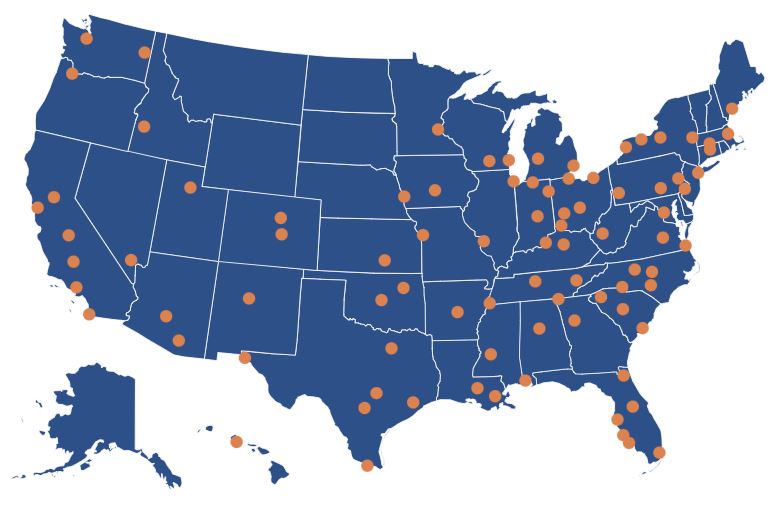
Curious what your local network affiliates look like on paper? Look up your city on TV Stations Near Me to see every station broadcasting in your area, its signal strength, and how far it is from you.